
Quick verdict
Prioritize background cues and easy interval control; add watch support, history, or custom plans only if you will use them.
A dedicated Japanese walking app is convenient, not essential. Current iPhone, Apple Watch, and Android options offer hands-free cues, while generic interval timers can reproduce the same 3-3 structure.
Quick context
Current app listings change quickly. Features, prices, privacy declarations, and watch support should be verified in the live App Store or Google Play listing before purchase.
You do not need a dedicated app to do Japanese walking. A basic interval timer can handle three minutes brisk, three minutes easy, repeated five times. Dedicated apps become useful when you want hands-free cues, watch support, workout history, progressive plans, or easier setup.
What a Japanese Walking App Actually Needs to Do
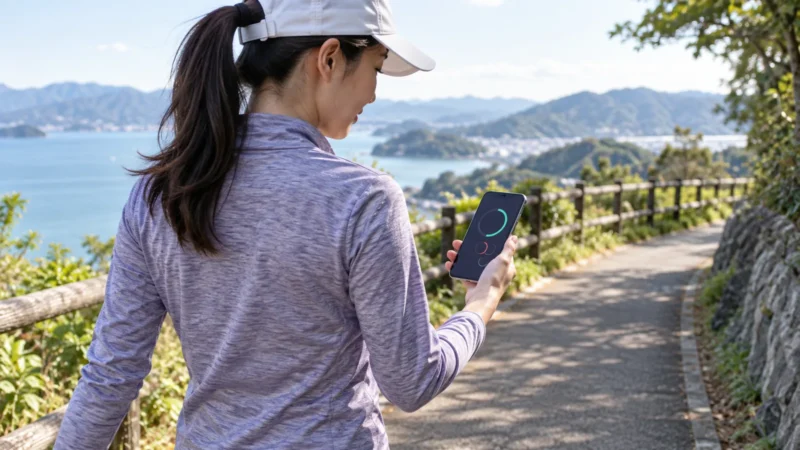
The core requirement is reliable interval timing. The app should announce or vibrate when the pace changes, continue while the screen is locked, and avoid forcing you to stare at the phone while walking. Clear cues matter more than elaborate charts.
Useful extras include warm-up and cool-down blocks, custom interval lengths, weekly history, HealthKit or Health Connect integration, watch haptics, and the ability to play cues over music or podcasts.
Dedicated Apps vs Generic Interval Timers
A generic interval timer is often enough. Create ten 3-minute blocks and alternate brisk and easy labels. The advantage is flexibility and less dependence on a niche app. A dedicated Japanese-walking app usually reduces setup and may include protocol-specific coaching, streaks, or progress summaries.
Current iPhone and Apple Watch Options
Current 2026 App Store listings show several dedicated choices. Interval Walk—Japanese Walking lists iPhone and Apple Watch support, haptic and chime transitions, optional spoken cues, and weekly summaries. Japanese Walking Method lists Apple Watch support with haptic and audio cues, syncing, and premium interval customization. IWT – Japanese Walking also advertises guided audio, haptics, and Apple Watch support.
These listings can change quickly. Verify the current version, price, supported devices and premium restrictions before buying.
Current Android Options
On Google Play, Japanese Walking: Interval lists voice coaching, tones and vibration, background operation with the screen off, beginner/classic/custom programs, history, and Health Connect support. Another current IWT app lists a precision interval timer, background voice cues, cadence tools, step tracking and additional coaching features.
Android battery optimization can sometimes stop background activity. Test cues during an easy walk before relying on an app for a full session.
Background Operation Is a Core Feature
If an app stops cues when the screen locks, it fails at one of the most important jobs. A walking timer should let you keep your eyes on the route. Voice, tone, or haptic signals should be distinct enough that you know whether to speed up or ease off.
Apple Watch and Wearable Support
A watch can make the workout almost hands-free. Look for large countdowns, distinct haptics for brisk and easy phases, pause/resume controls, and workout history. Heart-rate charts are useful context, but they are not necessary to perform the method.
Watch-only apps can be appealing if you deliberately leave your phone behind, but confirm whether the app stores history on the watch, syncs later, or needs the phone for setup.
Free vs Paid
Free versions often cover the core timer. Paid tiers may unlock custom intervals, progressive plans, advanced summaries, premium voices, watch features, or ad removal. Pay only for a feature you will actually use. The underlying 3-3 method does not become more effective because the app has a subscription.
Privacy and Data Collection
Check the app-store privacy disclosure before installing. An interval timer does not inherently need a large amount of personal data. If an app requests location, health, account, or analytics permissions, decide whether the feature you want justifies them.
Google Play listings for some current Japanese-walking apps declare no data sharing or no data collection, but developer declarations can change. Review the live safety section rather than relying on an old review.
Do You Need Heart-Rate Tracking?
No. The method can be controlled with perceived effort and the talk test. Heart-rate data may be useful for trends, but short intervals can expose sensor lag and medications can change expected heart-rate response.
Do You Need Cadence Coaching?
No universal cadence is required. Some apps offer a metronome, but the appropriate step rate varies with height, stride length, terrain, and fitness. Treat cadence as an optional cue rather than a protocol rule.
Progressive Plans: Useful or Unnecessary?
A built-in beginner plan can be convenient if it gradually increases rounds or effort. Check whether the progression is actually adjustable. A plan that forces everyone into the full workout on the same schedule is less useful than one that lets you repeat a week or reduce volume.
Music and Podcast Compatibility
If you listen while walking, test whether interval cues remain audible over your media and whether the app lowers the audio briefly instead of stopping it. Several current listings specifically advertise cues over music or screen-off operation.
Simple No-App Alternatives
You can use the built-in timer on a phone, a smartwatch interval workout, a generic interval-timer app, or a pre-recorded audio file with cues every three minutes. The best tool is the one that lets you walk without constantly looking at a screen.
How to Choose
- Choose a dedicated app for effortless 3-3 setup and guided cues.
- Choose a generic timer for maximum flexibility and fewer niche features.
- Prioritize background cues over decorative statistics.
- Choose watch support if you prefer phone-free sessions.
- Review current privacy and subscription terms before installing.
- Test one complete session before paying for advanced features.
Current 2026 Feature Snapshot
As of September 2026, current App Store and Google Play listings show active competition around Japanese walking: iPhone/Apple Watch apps with spoken or haptic cues, Android apps with background coaching, Health Connect, progressive plans, cadence tools, and screen-off operation. Those features should be rechecked periodically because app products change much faster than the underlying walking method.
For broader walking, fitness, and weight-management guidance, explore Mayobook’s Fitness, Weight Loss & Body Transformation hub.
For a related practical resource, see Mayobook’s Best Wall Pilates Apps: Features, Costs, and Free Options Compared.
The Bottom Line
A dedicated Japanese walking app can make the workout easier to follow, but it is not required. Reliable three-minute cues, safe background operation, and a simple interface matter more than AI coaching, calorie promises, or a long feature list.
Which should you choose?
Choose based on device support, cue reliability, screen-off behavior, privacy, and price. Ignore claims that an app makes the exercise itself inherently more effective.
Test the cues on an easy walk first. Make sure they work with the screen locked, your music playing, and the device you actually carry.
Final thought
The app should disappear into the walk. If you are constantly tapping, looking down, or managing notifications, a simpler timer may be better.